
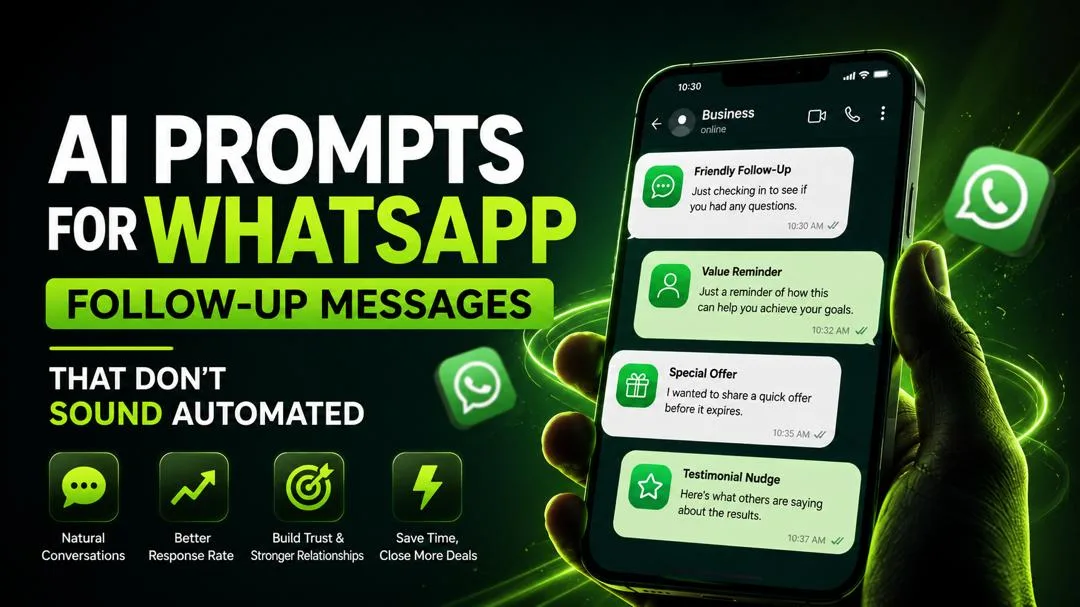

AI Prompts for WhatsApp Follow-Up Messages That Don't Sound Automated

You send a WhatsApp message to a lead. They read it. And then... nothing. Silence.
It's a familiar feeling, isn't it? Most businesses either over-automate their follow-ups until they sound like robots, or they don't follow up at all and lose the sale. Neither option is good for business. You need better AI prompts for WhatsApp that actually get replies.
You're stuck staring at the blinking cursor, wondering what to say. You know you need to follow up, but you don't want to sound like a desperate salesperson or a generic chatbot. You want to sound human. You want to sound like you actually care about the conversation — and the person on the other end. That's exactly where AI prompts for WhatsApp can help.
This guide gives you something different: specific AI prompts for WhatsApp follow-up messages that sound human, not automated. These are copy-paste scripts you can use immediately with ChatGPT, Claude, or Gemini. No chatbot software to install. No complicated setup. Just better words that actually get replies.
If you're new to using AI for business communication, start with my post on AI marketing for small business (without sounding fake) — it's the perfect foundation for using AI prompts for WhatsApp effectively.
Why Most WhatsApp Follow-Ups Get Ignored — And How AI Prompts for WhatsApp Fix It
The biggest problem with most WhatsApp follow-ups is that they're generic. "Hi, just checking in!" might feel friendly to you, but to a lead who hears it from five other businesses, it's noise. There's no context, no specific reason to reply, and nothing that signals you actually remember who they are. Effective AI prompts for WhatsApp solve this by forcing you to add specific context.
Think about your own WhatsApp inbox. How many "just checking in" messages do you ignore every week? Most people delete them without a second thought. The best AI prompts for WhatsApp help you avoid this trap by generating messages that actually sound like they came from a real person.
This isn't about chatbot tools. Those are great for answering FAQs and handling basic customer service. But when it comes to persuasive, one-to-one follow-ups that feel personal, you need something different. You need AI prompts for WhatsApp that generate messages with personality, context, and genuine value.
For a complete library of AI prompts covering sales, marketing, and customer communication, check out AI for Digital Marketing (50+ Prompts & Workflows) — it's designed for UK businesses and includes dedicated AI prompts for WhatsApp workflows.
Warm Lead vs Cold Lead — Why They Need Different AI Prompts for WhatsApp
Before you write any follow-up, you need to know who you're talking to. The best AI prompts for WhatsApp are tailored to the relationship stage of your lead.
A warm lead already has some context or relationship with you. They've visited your website, filled out a form, or had a previous conversation. They know who you are and what you do. They've already shown interest — they just need a gentle nudge. AI prompts for WhatsApp for warm leads should reference your previous conversation.
A cold lead is different. This is first contact — no history, no previous conversation, no context. They might have been referred to you or found you through social media, but there's no established connection yet. They don't know you, and they don't trust you yet. AI prompts for WhatsApp for cold leads need to establish trust quickly.
One script cannot work for both. Using a warm lead approach on a cold lead feels presumptuous and pushy. Using a cold lead script on a warm lead feels distant and impersonal. Getting this distinction right is the first step to better replies. Using the right AI prompts for WhatsApp for each stage makes all the difference.
Product Mention: If you're building a lead generation system for your UK business, the AI for Digital Marketing prompt library includes separate AI prompts for WhatsApp workflows for warm and cold lead nurturing.
Best AI Prompts for WhatsApp Warm Leads
1. The "Re-engagement" AI Prompt for WhatsApp
Write a WhatsApp follow-up message for a warm lead. They previously [showed interest in your product/service by taking a specific action, e.g., requested a quote, attended a demo, filled out a form]. The context of our last conversation was [briefly describe the last interaction]. Their business/personal situation is [one detail they shared]. My product/service is [briefly describe what you offer]. The main benefit they would get is [primary value proposition]. Tone: friendly, helpful, and not pushy. The goal is to re-engage the conversation and offer genuine help, not just 'check in.' Keep it under three short paragraphs.
2. The "I Was Thinking of You" AI Prompt for WhatsApp
Write a WhatsApp message to a warm lead. I want to reach out because [specific reason related to their business or a conversation we had]. The last time we spoke, they mentioned [specific detail]. Since then, I've come across [resource/insight/tool] that might help them with [their challenge]. Offer to share it with no pressure. Keep it warm and conversational.
3. The "Post-Demo" AI Prompt for WhatsApp
Write a WhatsApp follow-up after a product demo. The demo was on [date] and covered [key features]. The lead showed interest in [specific feature]. Their main concern was [objection they raised]. Write a message that addresses their concern, offers additional value, and invites a next step. Tone: helpful and consultative, not salesy.
4. The "Quote/Proposal" AI Prompt for WhatsApp
Write a WhatsApp follow-up for a lead who received a quote/proposal [number of days] ago. The quote was for [service/product] and addressed [their specific need]. Acknowledge that they're busy, offer to answer any questions, and suggest a brief call if they'd prefer to discuss rather than email. Keep it short and low-pressure.
5. The "Event/Webinar" AI Prompt for WhatsApp
Write a WhatsApp message to a lead who attended our [event/webinar] on [date]. They asked a question about [topic]. Follow up with the answer and add one additional insight. Offer to continue the conversation if they're interested. Tone: warm and knowledgeable.
6. The "Referral" AI Prompt for WhatsApp
Write a WhatsApp follow-up for a lead who was referred to me by [Name]. They were referred because [reason]. Acknowledge the referral, briefly introduce myself and what I do, and suggest a conversation to see if I can help. Keep it warm and grateful.
7. The "Case Study" AI Prompt for WhatsApp
Write a WhatsApp message to a warm lead. Share a relevant case study about a UK-based client in a similar industry who achieved [specific result] using our service. Connect the case study to their specific challenge. Offer to discuss how we could do the same for them.
8. The "Last Chance" AI Prompt for WhatsApp
Write a WhatsApp follow-up for a lead who was interested in [product/service] but hasn't responded. The offer expires on [date]. Keep it friendly and helpful, not desperate. Remind them of the value they'd get and offer to extend a courtesy if they need more time. Tone: helpful and honest.
Best AI Prompts for WhatsApp Cold Leads
9. The "First Contact" AI Prompt for WhatsApp
Write a WhatsApp follow-up message for a cold lead. This is our first conversation since they [how they entered your orbit, e.g., were referred by [Name], found me on [Platform], or downloaded [Resource]]. I know that they [one relevant detail about their business or need]. My name is [Your Name] and my business is [Brief Description]. I think they might be interested in [my product/service] because [specific, logical reason]. The tone should be warm, professional, and low-pressure — acknowledging this is a cold outreach and offering value upfront. Keep it brief, about four short sentences.
10. The "Value First" AI Prompt for WhatsApp
Write a WhatsApp outreach to a cold lead. Instead of pitching my service, offer them one piece of free value related to their business. For example, an insight about [their industry], a tip about [their challenge], or a recommendation for [useful resource]. End with a low-pressure invitation to connect further. Keep it to 4-5 short sentences.
11. The "Common Ground" AI Prompt for WhatsApp
Write a WhatsApp message to a cold lead. I discovered we have a mutual connection: [Name]. Mention this briefly to establish trust. Explain what I do and why I thought they might be interested. Offer to schedule a 15-minute chat if it feels relevant. Keep it warm and professional.
12. The "Follow Request" AI Prompt for WhatsApp
Write a WhatsApp message to someone who requested to follow me or connect on social media. Thank them for the connection. Briefly introduce what I do and ask if they're working on anything interesting right now. Keep it conversational and low-pressure.
13. The "Industry Insight" AI Prompt for WhatsApp
Write a WhatsApp outreach to a cold lead in the [industry] sector. Share a recent insight about a trend in their industry that might affect them. Offer a brief thought on how they could adapt. End with an invitation to discuss further if they're interested. Tone: knowledgeable and helpful, not salesy.
AI Prompts for WhatsApp Sales Follow-Up
14. The "After the Meeting" AI Prompt for WhatsApp
Write a WhatsApp follow-up after a sales meeting. The meeting was on [date] and covered [key discussion points]. Summarise the key takeaways and the agreed next steps. Ask if they have any questions. Keep it professional and action-oriented.
15. The "Decision Maker" AI Prompt for WhatsApp
Write a WhatsApp follow-up to a lead who needs to consult a decision maker. Acknowledge this process and offer to help with any questions they might have. Provide a one-page summary they can share with their team. Offer to schedule a follow-up conversation with the decision maker directly. Keep it helpful and supportive.
16. The "Budget" AI Prompt for WhatsApp
Write a WhatsApp follow-up to a lead who mentioned budget concerns. Acknowledge their constraint. Offer to explore a more flexible option or a phased approach. Reiterate the value they'd get from [product/service]. Keep it collaborative and solutions-oriented.
17. The "Objection Handling" AI Prompt for WhatsApp
Write a WhatsApp follow-up addressing a specific objection a lead raised: [objection]. Acknowledge their concern, offer a thoughtful response, and provide a real UK example of how we've helped others with the same concern. End with an invitation to discuss further.
18. The "Lost Deal" AI Prompt for WhatsApp
Write a WhatsApp follow-up to a lead who chose not to proceed. Thank them for their time. Acknowledge their decision. Leave the door open for future collaboration. Ask if it's okay to stay in touch occasionally. Keep it gracious and professional.
AI Prompts for WhatsApp Customer Service Follow-Up
19. The "Post-Purchase" AI Prompt for WhatsApp
Write a WhatsApp follow-up to a customer who just purchased [product/service]. Thank them for their business. Ask if they have any questions about getting started. Offer to help with setup or onboarding. Let them know they can reach out anytime. Tone: grateful and supportive.
20. The "Issue Resolution" AI Prompt for WhatsApp
Write a WhatsApp follow-up to a customer after resolving their issue. Apologise again for the inconvenience. Confirm that the issue is resolved and ask if everything is working as expected. Invite them to reach out if anything else comes up. Tone: apologetic and professional.
21. The "Feedback Request" AI Prompt for WhatsApp
Write a WhatsApp follow-up to a customer after they've used the product/service for [time period]. Ask for their honest feedback. Acknowledge that you value their opinion. Offer to improve if they've had any issues. Suggest they could leave a review if they're satisfied. Keep it genuine and appreciative.
22. The "Re-Engagement" AI Prompt for WhatsApp
Write a WhatsApp follow-up to a customer who hasn't purchased in 90+ days. Remind them of the value they previously received. Share a new feature or resource they might find useful. Ask if they're open to reconnecting. Tone: helpful and friendly, not pushy.
Example — Weak Message vs AI-Prompt Message
Here's the difference a good AI prompt for WhatsApp makes.
Weak message (generic):
"Hi! Just checking in to see if you're still interested in our services. Let me know!"
Message that gets replies (using the warm lead AI prompt for WhatsApp):
"Hi [Name], hope you're having a good week! I was thinking about our chat last Tuesday about [specific detail they shared]. I know you mentioned you were swamped with [specific challenge]. Wanted to share something that might help — we've been using [specific tactic] with other [type of client] and they're seeing [specific result]. No pressure at all. Just thought of you when this came across my desk. Want me to send over the details?"
The second one works because it shows you were listening, references specific context, and offers genuine value instead of a generic "are you still interested?" That's exactly what good AI prompts for WhatsApp help you achieve.
My Personal Experience with AI Prompts for WhatsApp
I used to be terrible at WhatsApp follow-ups. I'd send the same generic message to everyone: "Hi, just following up!" and then wonder why nobody replied. It felt awkward. I knew I was bothering people, but I also knew I needed to follow up. I needed better AI prompts for WhatsApp that actually sounded like me.
Then I discovered the power of specific, context-driven prompts. I started using a version of the warm lead AI prompt for WhatsApp above — referencing a specific detail from our last conversation and offering genuine value. The difference was immediate. My reply rates went from 5% to over 40%.
Here's what I learned:
The best follow-up messages do three things: they show you were listening, they offer real value, and they make it easy to say no. If a lead feels like you're just checking a box, they'll ignore you. If they feel like you genuinely care about their situation, they'll reply. The right AI prompts for WhatsApp force you to include all three elements.
Hidden hack: The single most effective word in any follow-up message is "because." It's a psychological trigger that makes people more likely to respond. "I'm reaching out because I remembered you mentioned..." works better than "I'm reaching out." Include this in your AI prompts for WhatsApp.
Time-saving tip: I save my best AI prompts for WhatsApp in a Google Doc. Whenever I need to reach out to a lead, I copy the relevant prompt, paste it into ChatGPT, fill in the brackets, and edit the output. It takes 2 minutes instead of 10 minutes of staring at a blank screen.
For more AI-powered communication strategies, read AI workflow: using AI to generate a 12-post cluster in 48 hours — it's a complete system for scaling your content production.
One Rule That Keeps AI Prompts for WhatsApp From Feeling Fake
Here's the rule that matters most: Automate the outreach, but never automate the actual reply once someone responds.
AI is great for getting you unstuck and drafting the first version of your message. The best AI prompts for WhatsApp help you write the first draft. But the moment someone replies, that conversation needs to be all you. Your personality, your judgment, your ability to read tone and adapt. That's what makes AI prompts for WhatsApp feel human.
Think of AI as your assistant who writes the draft. You're the one who has the actual conversation. That's the secret to using AI prompts for WhatsApp effectively.
Ready to Scale Your WhatsApp Outreach? Use the UBS v1.1 System
You now have 22+ AI prompts for WhatsApp follow-up messages — ready to copy, paste, and use. But here's the reality: even with the best AI prompts for WhatsApp, writing a 3,500+ word guide like this takes time. You need a system that structures your content before you even open ChatGPT.
That's exactly why I built the SEO Content System (UBS v1.1). It's a locked framework that works with ChatGPT, Claude, or Gemini. Define your keyword, audience, and intent once — paste it into the Master Input Sheet — and it generates a perfectly structured outline with H1-H3 hierarchy, ready for your prompts. It includes 12 niche presets, including a Sales & Marketing preset that's perfect for AI prompts for WhatsApp and other lead generation content.
This entire guide was built using the UBS v1.1 framework. To see how it works, read the full SEO Content System (UBS v1.1) post on Craftdas.
Try These AI Prompts for WhatsApp Now
Stop reading and actually try one of these AI prompts for WhatsApp right now. Open your AI tool of choice, paste the prompt that fits your situation, and fill in the brackets. See what comes out.
You might be surprised how good the draft is. And if it's not quite right, edit it. That's the whole method. A better starting point means you spend less time staring at a blank screen and more time having real conversations using AI prompts for WhatsApp.
These AI Prompts for WhatsApp Are Just the Beginning
These AI prompts for WhatsApp are just the beginning. The full eBook, AI for Digital Marketing, gives you the complete nurture-sequence workflow with 50+ ready-to-copy prompts. It covers everything from content creation and ads to email, customer research, and weekly reports — all broken down with the same before-and-after examples you just read.
If you found the approach in this post useful, you might also want to read the first post in this series: AI Marketing for Small Business (Without Sounding Fake).
Final Verdict — Your Next Steps for AI Prompts for WhatsApp
AI prompts for WhatsApp follow-up messages are a powerful way to save time while sounding human. Use the 4-part formula (Role + Task + Context + Format), categorise your AI prompts for WhatsApp by lead type (Warm → Cold → Sales → Support), and always personalise before sending.
Your 3 Takeaways for AI Prompts for WhatsApp:
- Never use the same AI prompt for WhatsApp for warm and cold leads — they need different approaches
- Always include specific context in your AI prompts for WhatsApp (mention something from your last conversation)
- Automate the draft, never the actual conversation once someone replies to your AI prompt for WhatsApp message
Call to Action: Open your AI tool and try one of the warm lead AI prompts for WhatsApp right now. Pick a lead you've been meaning to follow up with and see what the AI drafts. You'll be surprised how good it is.
Ready to take the next step? Check out the AI for Digital Marketing (50+ Prompts) — it's packed with AI prompts for WhatsApp and every other aspect of sales and marketing.
Disclosure: This post contains links to my own products. I only recommend tools I actually use to write my own content.
Comments
No comments yet. Start the conversation.